
Building a Real-Time News Agent: A Deep Dive into Chainlit and Agentic AI
Introduction: The Rise of Agentic AI in Information Retrieval
In the rapidly evolving landscape of artificial intelligence, the paradigm is shifting from static chatbots to dynamic agents. While a standard Large Language Model (LLM) relies on pre-trained data with a knowledge cutoff, an “Agent” has the ability to perceive, reason, and act upon the external world. One of the most compelling applications of this technology is the creation of a Real-Time News Agent—a system capable of fetching live headlines, synthesizing complex stories, and presenting them through an intuitive user interface.
This article explores how to construct such an agent using Chainlit, a powerful open-source Python framework designed specifically for building chat interfaces. By combining Chainlit with the OpenAI SDK (or OpenRouter for model flexibility) and a real-time data source like NewsAPI, developers can create a robust application that rivals commercial tools. We will delve into the technical architecture, implementation details, and the “Chainlit News” ecosystem that is empowering developers to build faster than ever before.
Whether you are tracking TensorFlow News for research, monitoring NVIDIA AI News for stock trends, or simply keeping up with OpenAI News, building your own agent allows for granular control over data consumption. This guide provides a comprehensive roadmap, from setting up the environment to deploying a sophisticated, markdown-rendering news aggregator.
Section 1: Core Concepts and Architecture
The Tech Stack: Why Chainlit?
When building conversational AI, developers often choose between Streamlit News, Gradio News, and Chainlit News. While Streamlit and Gradio are excellent for general data science dashboards, Chainlit is purpose-built for chat. It handles session management, streaming responses, and multi-modal attachments (images, files) out of the box, making it the superior choice for an agentic workflow.
The architecture of our News Agent consists of three layers:
- The Interface (Chainlit): Handles user input, renders markdown, and manages the chat lifecycle.
- The Brain (LLM): We will use the OpenAI SDK. This can connect to GPT-4o or, via OpenRouter, to models like Claude 3.5 (Anthropic News) or open-weights models like Llama 3 (Meta AI News).
- The Tool (NewsAPI): A REST API that provides real-time access to global headlines.
Setting Up the Environment
To begin, we need a robust Python environment. We will utilize modern tooling to ensure our dependencies are managed correctly. You will need API keys for OpenAI (or OpenRouter) and NewsAPI.
Below is the initial setup code. This script initializes the necessary libraries, including the OpenAI client and Chainlit. Note that we are preparing the ground for “Tool Calling”—the mechanism by which the LLM decides when to fetch news versus when to simply chat.
import os
import json
import chainlit as cl
from openai import OpenAI
from dotenv import load_dotenv

# Load environment variables
load_dotenv()

# Configuration
OPENAI_API_KEY = os.getenv("OPENAI_API_KEY")
NEWS_API_KEY = os.getenv("NEWS_API_KEY")

# Initialize the OpenAI Client
# Note: You can change base_url to "https://openrouter.ai/api/v1" to use other models
client = OpenAI(api_key=OPENAI_API_KEY)

# System prompt defining the agent's persona
SYSTEM_PROMPT = """You are a helpful Real-Time News Agent.
You have access to a tool that fetches the latest news.
When asked about current events, ALWAYS use the tool.
Summarize the results in clean Markdown format with links."""

print("Environment initialized. Ready to build the agent.")
This setup is foundational. Whether you are interested in PyTorch News or Hugging Face News, the underlying connection to the LLM remains the same. The differentiation comes from how we instruct the model to retrieve data.
Section 2: Implementation Details – The News Tool
Defining the Tool Logic
An “Agent” becomes intelligent only when it has tools. In the context of AgenticAI, a tool is simply a Python function that the LLM can invoke. For our news agent, we need a function that accepts a query (e.g., “latest Mistral AI News“) and returns a JSON object containing headlines, descriptions, and URLs.
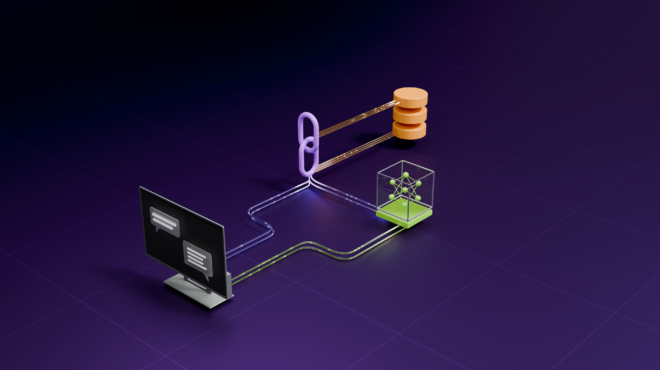
We must define this function and then describe it in a JSON schema so the OpenAI SDK understands how to use it. This is a critical step often discussed in LangChain News and LlamaIndex News tutorials, but here we implement it natively for maximum control.
import requests

def get_latest_news(topic: str):
    """
    Fetches the latest news headlines for a specific topic using NewsAPI.
    """
    url = f"https://newsapi.org/v2/everything?q={topic}&apiKey={NEWS_API_KEY}&pageSize=5&sortBy=publishedAt"

    try:
        response = requests.get(url)
        data = response.json()

        if data.get("status") != "ok":
            return json.dumps({"error": "Failed to fetch news."})

        articles = data.get("articles", [])
        results = []

        for article in articles:
            results.append({
                "title": article.get("title"),
                "source": article.get("source", {}).get("name"),
                "url": article.get("url"),
                "description": article.get("description")
            })

        return json.dumps(results)

    except Exception as e:
        return json.dumps({"error": str(e)})

# Tool Definition for OpenAI
tools = [
    {
        "type": "function",
        "function": {
            "name": "get_latest_news",
            "description": "Get the latest news headlines and articles about a specific topic.",
            "parameters": {
                "type": "object",
                "properties": {
                    "topic": {
                        "type": "string",
                        "description": "The topic to search for, e.g., 'Tesla', 'AI', 'Crypto'",
                    },
                },
                "required": ["topic"],
            },
        },
    }
]
Handling the Logic Flow
The implementation above allows the agent to query specific verticals. For instance, a user might ask, “What is happening with Google DeepMind News?” The LLM analyzes this, extracts “Google DeepMind” as the topic, and executes the `get_latest_news` function. If the user asks about IBM Watson News or Amazon Bedrock News, the same logic applies dynamically.
The function returns a JSON string. It is crucial to remember that the LLM cannot “see” the website; it only reads the text we return. Therefore, cleaning the data (removing null values, formatting strings) within the Python function is essential for ensuring the final output is coherent.
Section 3: Integrating with Chainlit
The Event Loop
Chainlit operates on an event-driven model. The two most important decorators are `@cl.on_chat_start` and `@cl.on_message`. We will use these to maintain the chat history (context) and handle the iterative process of tool calling.
In this section, we build the core message handler. This handler must:
- Append the user’s message to the history.
- Send the history to the LLM.
- Check if the LLM wants to call a tool.
- If yes, execute the tool and send the result back to the LLM.
- Stream the final answer to the UI.
@cl.on_chat_start
def start_chat():
    # Initialize session history
    cl.user_session.set("message_history", [{"role": "system", "content": SYSTEM_PROMPT}])

@cl.on_message
async def main(message: cl.Message):
    history = cl.user_session.get("message_history")
    history.append({"role": "user", "content": message.content})

    # First call to LLM to determine intent
    response = client.chat.completions.create(
        model="gpt-4o",
        messages=history,
        tools=tools,
        tool_choice="auto"
    )

    response_message = response.choices[0].message

    # Check if the model wants to call a function
    if response_message.tool_calls:
        # Append the model's decision to history
        history.append(response_message)

        for tool_call in response_message.tool_calls:
            function_name = tool_call.function.name

            if function_name == "get_latest_news":
                arguments = json.loads(tool_call.function.arguments)
                topic = arguments.get("topic")

                # Send a loading message
                async with cl.Step(name="News Agent", type="run") as step:
                    step.input = f"Searching for {topic}..."

                    # Execute the function
                    function_response = get_latest_news(topic)

                    step.output = "News data retrieved."

                # Append function result to history
                history.append({
                    "tool_call_id": tool_call.id,
                    "role": "tool",
                    "name": function_name,
                    "content": function_response,
                })

        # Second call to LLM to generate the final answer based on tool output
        stream = client.chat.completions.create(
            model="gpt-4o",
            messages=history,
            stream=True
        )

        # Stream the response to the UI
        final_answer = cl.Message(content="")
        await final_answer.send()

        for part in stream:
            if part.choices[0].delta.content:
                await final_answer.stream_token(part.choices[0].delta.content)

        # Update history with the final answer
        history.append({"role": "assistant", "content": final_answer.content})
        await final_answer.update()

    else:
        # No tool needed, just a normal chat response
        final_answer = cl.Message(content=response_message.content)
        await final_answer.send()
        history.append({"role": "assistant", "content": response_message.content})

    cl.user_session.set("message_history", history)
This code block demonstrates the power of Chainlit News development. The `cl.Step` context manager creates a beautiful UI element that shows the user “Searching for…” while the backend processes the request. This transparency is vital for user trust, especially when fetching data on complex topics like Azure AI News or AutoML News.
Section 4: Advanced Techniques and Customization
Markdown and Streaming Output
One of the key advantages of using Chainlit is its native support for GitHub-flavored Markdown. When our agent retrieves news about JAX News or Keras News, we want it to format the output with bold headlines, bullet points, and clickable links. The system prompt we defined earlier instructs the LLM to do this, and Chainlit renders it automatically.
To enhance the user experience further, we can implement “LLM-style streaming.” As seen in the code above, `await final_answer.stream_token` ensures that the text appears character-by-character, mimicking the feel of ChatGPT. This reduces perceived latency, which is critical when processing heavy queries regarding Weights & Biases News or Comet ML News.
Expanding the Knowledge Base
A true “Super Agent” shouldn’t be limited to general news. You can expand the `tools` list to include specific API calls for specialized domains. For example:
![AI chatbot user interface - 7 Best Chatbot UI Design Examples for Website [+ Templates]](https://aidev-news.com/wp-content/uploads/2025/12/inline_b3f78600.png)
- Hugging Face Transformers News: Use the Hugging Face Hub API to fetch trending models.
- Kaggle News: Use the Kaggle API to check for new competitions.
- ArXiv: Fetch the latest research papers on Stable Diffusion or Midjourney.
By simply adding more functions to the `tools` array, you can transform this general news agent into a specialized monitor for Ray News, Dask News, or Apache Spark MLlib News.
Using OpenRouter for Model Variety
While OpenAI is the default, the ecosystem is vast. By changing the `base_url` in the client initialization to OpenRouter, you can swap the backend model to Cohere News (Command R+), Mistral AI News (Mistral Large), or even Google DeepMind News (Gemini Pro). This is particularly useful for cost optimization or when you need a model with a specific safety profile (Guardrails).
# Example of swapping to OpenRouter to access other models
client = OpenAI(
    base_url="https://openrouter.ai/api/v1",
    api_key=os.getenv("OPENROUTER_API_KEY"),
)

# You can now call models like 'anthropic/claude-3-opus' or 'meta-llama/llama-3-70b-instruct'
# This is great for comparing how different models summarize "Azure Machine Learning News"
Section 5: Best Practices and Optimization
Rate Limiting and Caching
Real-time agents can be expensive and API-intensive. If you are monitoring high-frequency topics like Crypto or FastAPI News, you might hit API limits quickly. Implementing a simple caching mechanism is highly recommended. You can use Python’s `functools.lru_cache` or a Redis backend to store news results for 10-15 minutes. This prevents the agent from hitting the NewsAPI for the exact same query repeatedly.
Tracing and Observability
When building production agents, knowing what happened during an interaction is crucial. Tools like LangSmith News, MLflow News, and ClearML News provide tracing capabilities. Chainlit has built-in integration with Literal AI (their observability platform), but it also plays nicely with others. Tracing allows you to see exactly what the LLM thought, what the tool returned, and where errors occurred.
Error Handling and Guardrails
![AI chatbot user interface - 7 Best Chatbot UI Design Examples for Website [+ Templates]](https://aidev-news.com/wp-content/uploads/2025/12/inline_0c82f3f7-scaled.jpg)
APIs fail. The NewsAPI might timeout, or the LLM might hallucinate a URL. Robust error handling in your tool function (as shown in Section 2) is non-negotiable. Furthermore, implementing guardrails ensures the agent stays on topic. If a user asks about Snowflake Cortex News, the agent should answer. If they ask for illegal content, the guardrail should block it. Libraries like NVIDIA AI News (NeMo Guardrails) can be integrated into the Python logic to sanitize inputs and outputs.
Deployment Considerations
Once your agent is running locally, deploying it is the next step. Chainlit apps can be easily containerized with Docker. Popular deployment targets include RunPod News, Replicate News, Modal News, or standard cloud providers like AWS SageMaker News and Google Colab News (via ngrok for testing). Ensure your environment variables are securely managed in the production environment.
Conclusion
Building a Real-Time News Agent with Chainlit and the OpenAI Agent SDK is a powerful way to harness the potential of Agentic AI. By moving beyond static prompts and giving the LLM access to live tools, we create software that is responsive, informative, and highly engaging. We have covered the architecture, the code for tool definitions, the event loop integration, and advanced strategies for optimization.
The landscape of AI tools—from TensorRT News to Qdrant News and Pinecone News—is expanding daily. An agent like the one we built today is your best defense against information overload. It allows you to filter the noise and focus on the signals that matter, be it ONNX News for optimization or LangChain News for orchestration.
As you continue to develop this agent, consider integrating vector databases like Milvus News, Weaviate News, or Chroma News to give your agent long-term memory. The combination of real-time data (NewsAPI) and long-term recall (Vector DBs) represents the future of personalized AI assistants. Now, it’s time to fire up your IDE and start coding the future of news consumption.