
Local Inference is Finally Good (Thanks, TensorRT)
I spent the better part of yesterday fighting with a Docker container that refused to see my GPU. You know the drill. Environment variables are set, nvidia-smi looks clean, but the container just sits there, CPU spiking to 100%, mocking me.
Actually, let me back up—it reminded me of how messy the local AI stack used to be. And back in early 2024, when NVIDIA first pushed the AI Workbench beta and TensorRT-LLM was just starting to get integrated into everything, we were all duct-taping Python scripts together. But two years later? It’s a probably a different world. Mostly.
I’ve been benchmarking the latest TensorRT-LLM release (v2.3.1) on my rig, and honestly, the performance gains on consumer cards are getting ridiculous. If you’re still running raw PyTorch for inference in production—or even for local testing—you’re basically lighting money (and time) on fire.
The TensorRT-LLM Takeover
Remember when optimizing a model meant manually fusing layers and praying you didn’t break the attention mechanism? TensorRT-LLM changed that math. It’s not just about the H100s in the data center anymore. The trickle-down to local RTX cards has been the real story for me.
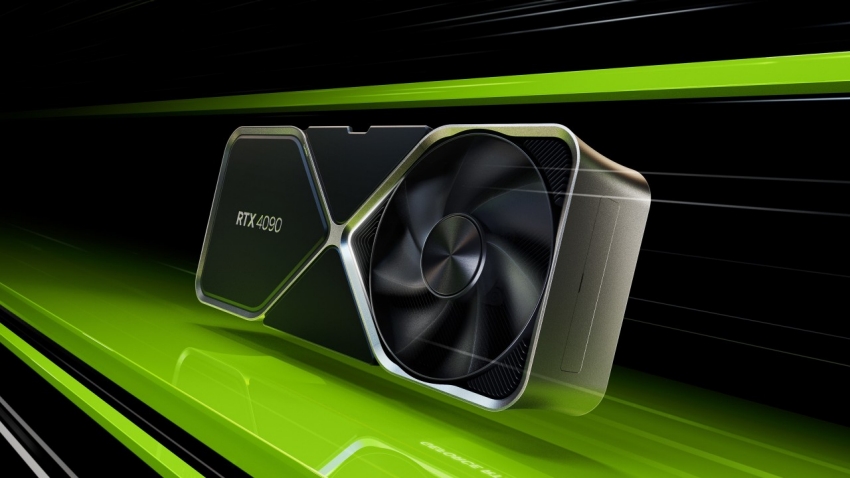
I tested a quantized Llama-3-8B model yesterday. On raw transformers, I was getting maybe 45 tokens/sec on my RTX 4090 (yeah, I’m still holding onto it until the 5090 prices stabilize). After compiling it with the latest TensorRT builder, that jumped to roughly 140 tokens/sec. That’s not a “marginal improvement.” That’s the difference between a chat bot feeling like a legacy email server and it feeling like a conversation.
Here’s the thing though: the setup is still finicky. The Python API has improved, but you still run into version mismatches. Just last week, I updated my drivers to 580.12 and broke my entire CUDA 13.1 environment. Classic.
AI Workbench: From Beta to “I Actually Use This”
When NVIDIA announced the AI Workbench beta back in ’24, I was skeptical. Another GUI wrapper? Pass. I stick to the CLI.
But I was wrong. Well, half-wrong.
I don’t use the GUI much, but the underlying container management is solid now. It handles the messy driver-to-container mapping that usually eats up my Tuesday mornings. It’s particularly useful when I need to replicate a bug from a cloud instance locally. I can pull the project, and the Workbench runtime ensures the TensorRT version matches exactly what was running on the server.
If you’re managing hybrid workflows—training on a cluster, optimizing locally, deploying to edge—it’s become a necessary evil. It keeps the “it works on my machine” excuses to a minimum.
Code: The Builder Pattern
The biggest shift in 2025-2026 has been how we define engines. It used to be a massive script. But now, the builder API is cleaner, though it still assumes you know what you’re doing with memory allocation.
Here’s a stripped-down version of the build script I used for that Llama test. Note the plugin configuration—if you don’t enable the GPT attention plugin explicitly, performance tanks on consumer cards.
import tensorrt_llm
from tensorrt_llm.builder import Builder
from pathlib import Path

def build_engine(model_dir, output_dir):
    # This crashed on me three times until I pinned the dtype
    dtype = 'float16'

    builder = Builder()
    builder_config = builder.create_builder_config(
        name="llama-optimized",
        precision=dtype,
        timing_cache='model.cache',
        tensor_parallel=1,  # Single GPU setup
    )

    # CRITICAL: The GPT Attention plugin is mandatory for
    # decent speeds on RTX 40/50 series now.
    network = builder.create_network()
    network.plugin_config.set_gpt_attention_plugin(dtype)
    network.plugin_config.set_gemm_plugin(dtype)

    print(f"Building engine for {model_dir}...")

    # The build step usually takes about 2-3 minutes on a 4090
    engine_buffer = builder.build_engine(
        network,
        builder_config
    )

    with open(output_dir / "model.engine", "wb") as f:
        f.write(engine_buffer)

# Don't forget to run this inside the container,
# or pathing issues will haunt you.
build_engine(Path("./llama-3-8b"), Path("./engines"))
And one gotcha I hit: if you’re running this on Windows via WSL2, make sure you’ve allocated enough RAM to the WSL instance. The builder builds the graph in system memory before moving to VRAM. I capped my WSL at 16GB and watched the build process segfault silently. Bumped it to 32GB, and it ran smooth.
The Generative AI Ecosystem on RTX
It’s not just LLMs. The Stable Diffusion optimizations in TensorRT are frighteningly fast now. I remember waiting 4-5 seconds for an image generation in the early days. But now? It’s sub-second. Real-time generation is effectively solved for standard resolutions.
NVIDIA’s push to get these tools into the hands of modders and indie devs has paid off. And I played a tech demo last month that used TensorRT-LLM for NPC dialogue, running entirely locally. No API calls, no latency. The NPCs were a bit hallucination-prone (one tried to sell me a sword that didn’t exist), but the tech worked.
Is It Worth the Refactor?
Every time a new version drops, I ask myself if I should refactor my inference pipeline. Moving from standard PyTorch to TensorRT is a commitment. You lose some flexibility. And debugging a compiled engine is a nightmare compared to stepping through Python code.
But the efficiency gains are too big to ignore. We’re talking about a 2x to 3x throughput increase for free (well, “free” if you ignore the engineering hours). With energy costs where they are, and GPU availability still being spotty for the high-end chips, squeezing every FLOP out of the hardware you actually have is the only smart play.
My advice? If you’re prototyping, stay in PyTorch. But the second you think about deployment—even if it’s just a demo for a client—compile it. The latency drop alone makes the application feel completely different.
Just don’t update your drivers on a Friday.
FAQ
How much faster is TensorRT-LLM than PyTorch for Llama-3-8B on an RTX 4090?
Benchmarking a quantized Llama-3-8B model on an RTX 4090, raw PyTorch transformers delivered around 45 tokens per second. After compiling the same model with the latest TensorRT-LLM builder (v2.3.1), throughput jumped to roughly 140 tokens per second. That is a 2x to 3x throughput increase, which shifts the chat experience from feeling like a legacy email server to feeling like a real conversation.
Why does TensorRT-LLM performance tank on RTX 40 series without the GPT attention plugin?
When building an engine with the TensorRT-LLM builder API, the GPT attention plugin is mandatory for decent speeds on RTX 40 and 50 series consumer cards. If you do not explicitly call network.plugin_config.set_gpt_attention_plugin(dtype) during engine construction, performance tanks. The gemm plugin should also be enabled, and the dtype should be pinned to float16 to avoid crashes during the build.
Why does the TensorRT-LLM builder segfault on WSL2 with 16GB RAM?
The TensorRT-LLM builder constructs the computation graph in system memory before moving it to VRAM, so an undersized WSL2 allocation starves the build process. Capping WSL at 16GB caused the build to segfault silently during a Llama-3-8B compile. Bumping the WSL2 memory allocation to 32GB allowed the builder to run smoothly. Run the build inside the container to avoid pathing issues as well.
Is NVIDIA AI Workbench worth using if you prefer the CLI?
Even for CLI-first developers who dismiss GUI wrappers, AI Workbench has become useful because its underlying container management handles messy driver-to-container mapping reliably. It is particularly valuable for replicating cloud bugs locally, since the Workbench runtime ensures the TensorRT version matches the server exactly. For hybrid workflows spanning cluster training, local optimization, and edge deployment, it minimizes ‘it works on my machine’ problems.