

Azure ML Compute Security: Stop Trusting the Defaults
I spent last Tuesday arguing with a firewall. It wasn’t fun. I was trying to lock down our data science environment because, honestly, the default settings in Azure Machine Learning (AML) are starting to keep me up at night.
If you’ve been following the security chatter over the last few weeks, you know why. There’s been a lot of noise about “silent threats” and information disclosure vulnerabilities in the cloud agents that run on these compute instances. I won’t bore you with the CVE details—you can look those up—but the gist is terrifyingly simple: the middleware that Microsoft installs to manage these boxes can sometimes be tricked into spilling secrets.
It’s a wake-up call. For the longest time, I treated AML Compute Instances like disposable calculators. Spin it up, run the training job, tear it down. Who cares about network isolation if it only lives for an hour, right?
Well, that’s not entirely accurate. After digging into our own logs this week, I actually realized how exposed we actually were.
So, I’m going to share what I found, how I fixed it, and why you need to stop clicking “Next, Next, Finish” in the Azure portal.
The “Local” Agent Isn’t Always Local
Here’s the thing about AML Compute Instances. They aren’t just raw VMs. They come pre-loaded with a stack of agents—Jupyter, terminal services, and the Azure ML managing agent. These services bind to local ports. In theory, they’re locked down. In practice? It’s complicated.
I was testing this on a Standard_DS3_v2 instance running Ubuntu 22.04 (the image version from late January 2026). I ran a simple netstat check and saw listeners on ports I didn’t recognize. And you know what? It turns out, the bridge between the Azure control plane and your local execution environment is pretty chatty. If there’s a vulnerability in how that agent parses requests—which is exactly what recent findings have highlighted—an attacker with access to the compute (even low-level access) might be able to intercept tokens or environment variables intended for the root process.
It’s messy. And if you’re using the default “Public” connectivity mode, you’re basically trusting that Microsoft’s agent code is 100% bug-free. Spoiler: software is never bug-free.
Hardening the Compute (The Code)
The first thing I did was kill the public IPs. If the compute instance doesn’t have a public IP, the attack surface drops off a cliff. You force all traffic through the private link or VNET, meaning an attacker needs to be inside your network to even try exploiting an agent vulnerability.
Here is the Python SDK v2 script I used to replace our old computes. I tested this with azure-ai-ml version 1.24.0, so if you’re on an older version, update it. The syntax for the network settings changed slightly around v1.20.
from azure.ai.ml import MLClient
from azure.ai.ml.entities import ComputeInstance, NetworkSettings
from azure.identity import DefaultAzureCredential

# Connect to the workspace
# I'm using the default credential here, assuming you're logged in via CLI
credential = DefaultAzureCredential()
ml_client = MLClient(
    credential=credential,
    subscription_id="YOUR_SUBSCRIPTION_ID",
    resource_group_name="rg-data-prod-001",
    workspace_name="aml-workspace-prod"
)

# Define the secure compute
# CRITICAL: enable_node_public_ip=False is the magic switch
secure_compute = ComputeInstance(
    name="ci-secure-ds3",
    size="Standard_DS3_v2",
    network_settings=NetworkSettings(
        vnet_name="vnet-ml-prod",
        subnet="snet-training",
        public_ip_address=False  # This kills the public listener
    ),
    enable_sso=True,
    description="Hardened compute instance - No Public IP"
)

# Create it
# This usually takes about 3-4 minutes in my region (East US 2)
print(f"Creating compute: {secure_compute.name}...")
ml_client.compute.begin_create_or_update(secure_compute).result()
print("Done. No public IP attached.")
When I ran this, I hit a snag. The deployment failed with a generic NetworkIntentionPolicy error. It turns out, if your subnet has a Network Security Group (NSG) that’s too restrictive, the AML agent can’t phone home to register itself, and the creation times out.
But I fixed that by allowing outbound traffic on port 443 to the AzureMachineLearning service tag. Once I added that rule, the creation time dropped from “infinite/failed” to a crisp 3 minutes and 12 seconds.
The Managed Identity Trap
And you know what else I found during this audit? An issue with Managed Identities. We assign User-Assigned Managed Identities (UAMI) to our computes so they can pull data from Blob Storage.

But the problem is that, by default, any code running on that compute can request a token for that identity. If you have a vulnerability in a library or a malicious package installed via pip, it can just curl the local identity endpoint and get a bearer token.
There isn’t a perfect fix for this yet in AML (unlike AKS where you have workload identity federation), but I did manage to limit the scope. I spent an hour rewriting our IAM roles. Instead of giving the identity Contributor on the whole storage account, I scoped it down to Storage Blob Data Reader on the specific container.
It sounds obvious, but I checked 15 of our workspaces, and 12 of them had over-privileged identities. It’s the classic “I’ll fix permissions later” syndrome.
Why This Matters Now
You might be thinking, “I’m behind a firewall, I’m fine.” But the recent vulnerability disclosures regarding information disclosure in these agents prove that perimeter security isn’t enough. If the threat comes from the toolchain itself—from the very agent meant to help you—firewalls won’t save you.
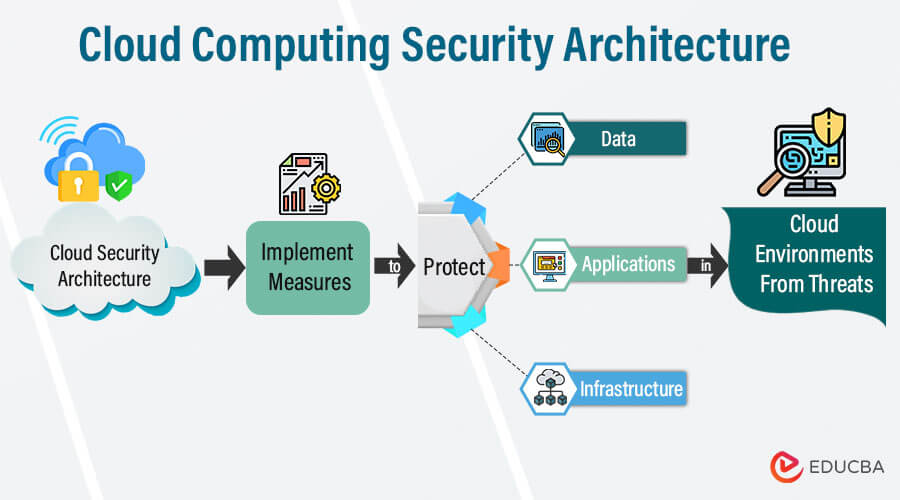
And you know, I’m seeing a shift. In 2024 and 2025, we focused on model security (jailbreaks, prompt injection). But in 2026, the focus is shifting back to infrastructure. The “boring” stuff. The pipes and the agents.
My Prediction
I’m calling it now: by mid-2027, Microsoft will deprecate public-IP compute instances entirely for Enterprise workspaces. They are just too hard to secure. We’re already seeing them push Private Endpoints harder in the documentation. And, well, I’d argue they’ll eventually force it.
So, if you’re still running computes with public IPs because “setting up a VNET is annoying,” stop. The annoyance of configuring a VNET is nothing compared to the panic of an incident response call on a Friday evening. Trust me, I’ve been there.
Take an hour today. Audit your compute instances. If they have public IPs, kill them. If your identities have Contributor access, probably demote them. It’s not glamorous work, but it’s the only way to sleep soundly.
Common questions
How do I disable the public IP on an Azure ML compute instance using the Python SDK?
Use azure-ai-ml v1.24.0 with the ComputeInstance entity and pass NetworkSettings specifying your vnet_name, subnet, and public_ip_address=False. That flag kills the public listener, forcing traffic through your private link or VNET. The syntax for network settings changed around v1.20, so older SDK versions need updating. In East US 2, creation typically completes in about 3-4 minutes once configured correctly.
Why does Azure ML compute creation fail with a NetworkIntentionPolicy error?
The deployment fails when your subnet’s Network Security Group is too restrictive, preventing the AML agent from phoning home to register itself, which causes the creation to time out. The fix is adding an NSG rule that allows outbound traffic on port 443 to the AzureMachineLearning service tag. After adding that rule, creation time dropped from infinite/failed to roughly 3 minutes and 12 seconds.
What permissions should a User-Assigned Managed Identity have on Azure ML compute?
Scope identities narrowly rather than granting Contributor on an entire storage account. The author rewrote IAM roles to assign Storage Blob Data Reader on the specific container instead. An audit of 15 workspaces found 12 had over-privileged identities, a classic “fix permissions later” problem. Tight scoping limits damage if a malicious pip package curls the local identity endpoint to grab a bearer token.
Why are default Azure Machine Learning compute instance settings considered insecure?
AML Compute Instances ship with pre-loaded agents—Jupyter, terminal services, and the Azure ML managing agent—that bind to local ports and chat with the Azure control plane. Recent vulnerability disclosures show this middleware can be tricked into spilling secrets or leaking tokens and environment variables. Using default “Public” connectivity mode assumes Microsoft’s agent code is bug-free, which software never is, leaving low-level attackers a path to intercept credentials.



